
Baby Taylor Daily Caring
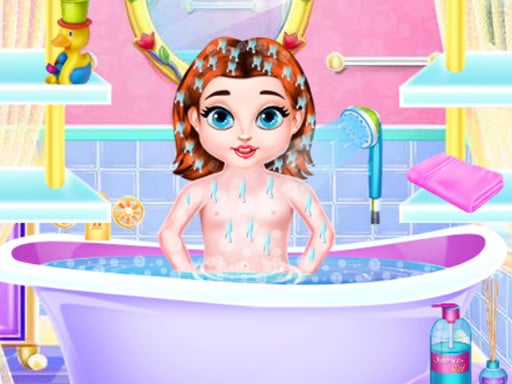
Baby Taylor Daily Caring lets you style looks in your browser. Pick base makeup, blush, lipstick, and hairstyles for each client. Press Play at the top of this page. The game loads here in your browser. No app download or account required.
How to play
Start the session
Press Play and wait for the salon scene to finish loading.
Choose makeup tools
Open each makeup category, then tap colors and styles to apply them.
Add hair and accessories
Switch to hair, jewelry, or outfit tabs until the look matches the goal.
Finish the look
Complete every on-screen step to save the result or continue.
What you can do
- Apply foundation, blush, and lipstick
- Change eyeshadow and lashes
- Restyle hair color and cut
- Add earrings or a headpiece
About this game
Baby Taylor Daily Caring is a salon makeup game. You build the look layer by layer for a client instead of only swapping a dress.
Questions about this game
How do you play Baby Taylor Daily Caring?
Follow the numbered steps on this page. Click or tap each color, outfit, or tool, then finish the current goal before moving on.
Do you need to download Baby Taylor Daily Caring or create an account?
No. Press Play on this page. It runs in a modern browser on Android, iOS, and desktop with no app and no sign-in.
Is Baby Taylor Daily Caring free?
Yes. Press Play on this page. You do not pay to start.
Can you play Baby Taylor Daily Caring on mobile?
Yes. Tap on a phone or tablet. Use a mouse on a computer.
More Games
See All
Kitty Unicorn Daily Care is a dress-up game. Mix tops, skirts, shoes, and bags to build complete outfits.
Kitty Unicorn Daily Care
Puzzle

Maze Alphabet is a casual game you start with one click. Follow the on-screen prompts and finish the current goal.
Maze Alphabet
Puzzle
Memory is a casual game you start with one click. Follow the on-screen prompts and finish the current goal.
Memory
Puzzle
Pull the Pin Rescue is a casual game you start with one click. Follow the on-screen prompts and finish the current goal.
Pull the Pin Rescue
Puzzle

Baby Taylor Memory Quest is a casual game you start with one click. Follow the on-screen prompts and finish the current goal.
Baby Taylor Memory Quest
Puzzle

Ben 5 Difference shows two nearly identical cartoons. Find all hidden changes before time runs out.
Ben 5 Difference
Puzzle

BTS Budgie Coloring Book is a coloring game. Pick palette colors and fill each area of the artwork.
BTS Budgie Coloring Book
Puzzle

Cheerleader Magazine Dressup is a dress-up game. Mix tops, skirts, shoes, and bags to build complete outfits.
Cheerleader Magazine Dressup
Puzzle

Cute Pony Puzzle Quest is a casual game you start with one click. Follow the on-screen prompts and finish the current goal.
Cute Pony Puzzle Quest
Puzzle

Dressup Wheel is a dress-up game. Mix tops, skirts, shoes, and bags to build complete outfits.
Dressup Wheel
Puzzle